
Payment link
The cycle amountin a link.
The same billing as always, in the conversation you already have — only now the fee works for you: the link goes out with the catalogue amount, and whoever opens it sees the offer, the cycle and the amount before paying.
The amount comes from the catalogue. Nobody types it twice.
From the dashboard
into the conversation.
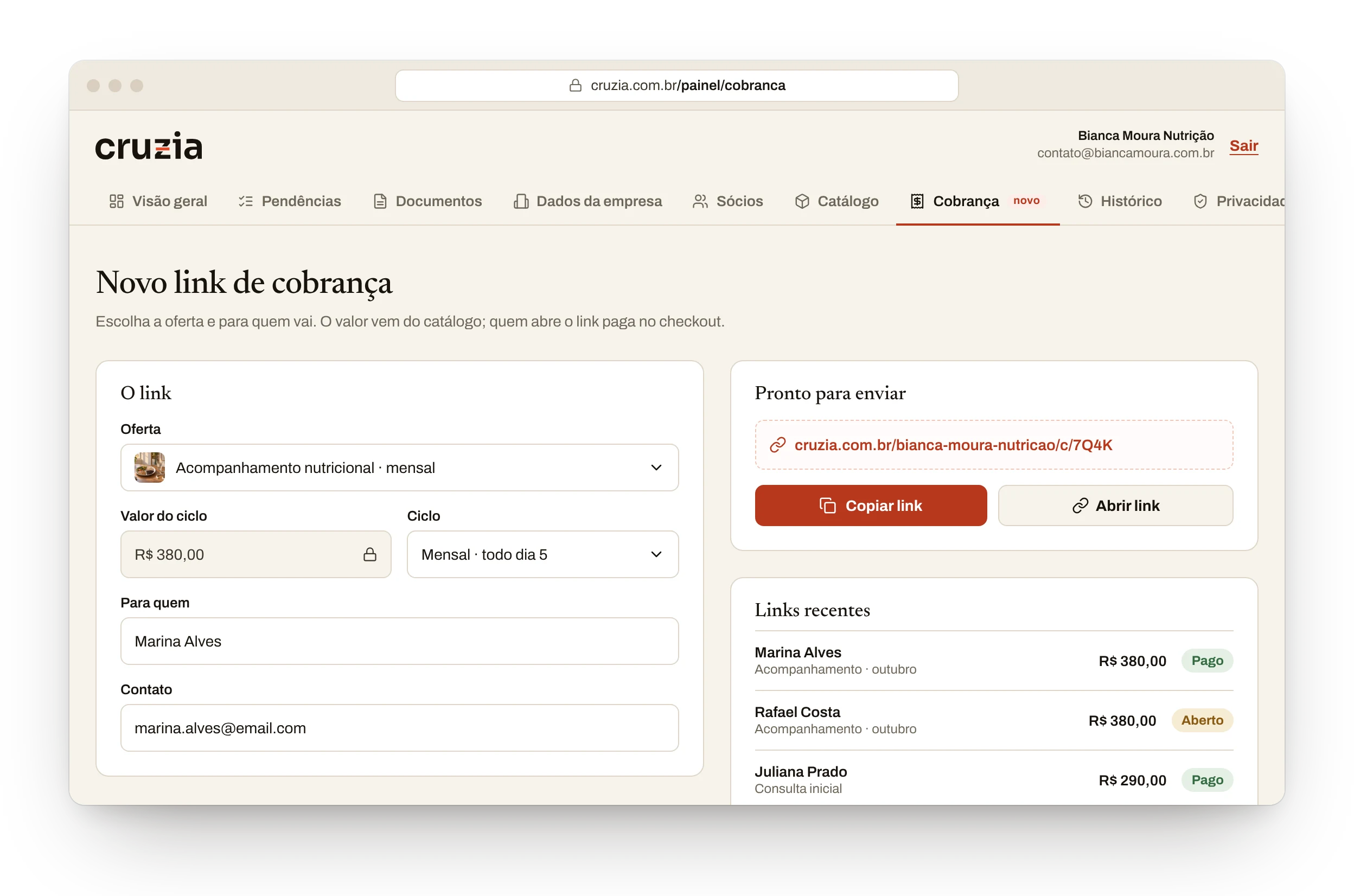
You pick the offer and who it goes to. The link comes out ready, with the cycle amount.
- 1
The locked amount
The link carries the offer's price. Nobody types, nobody errs.
- 2
A short address
With your company's name, ready to paste into the conversation.
- 3
The preview in the message
Before the click, the person already sees the offer, the cycle and the amount.
 12
12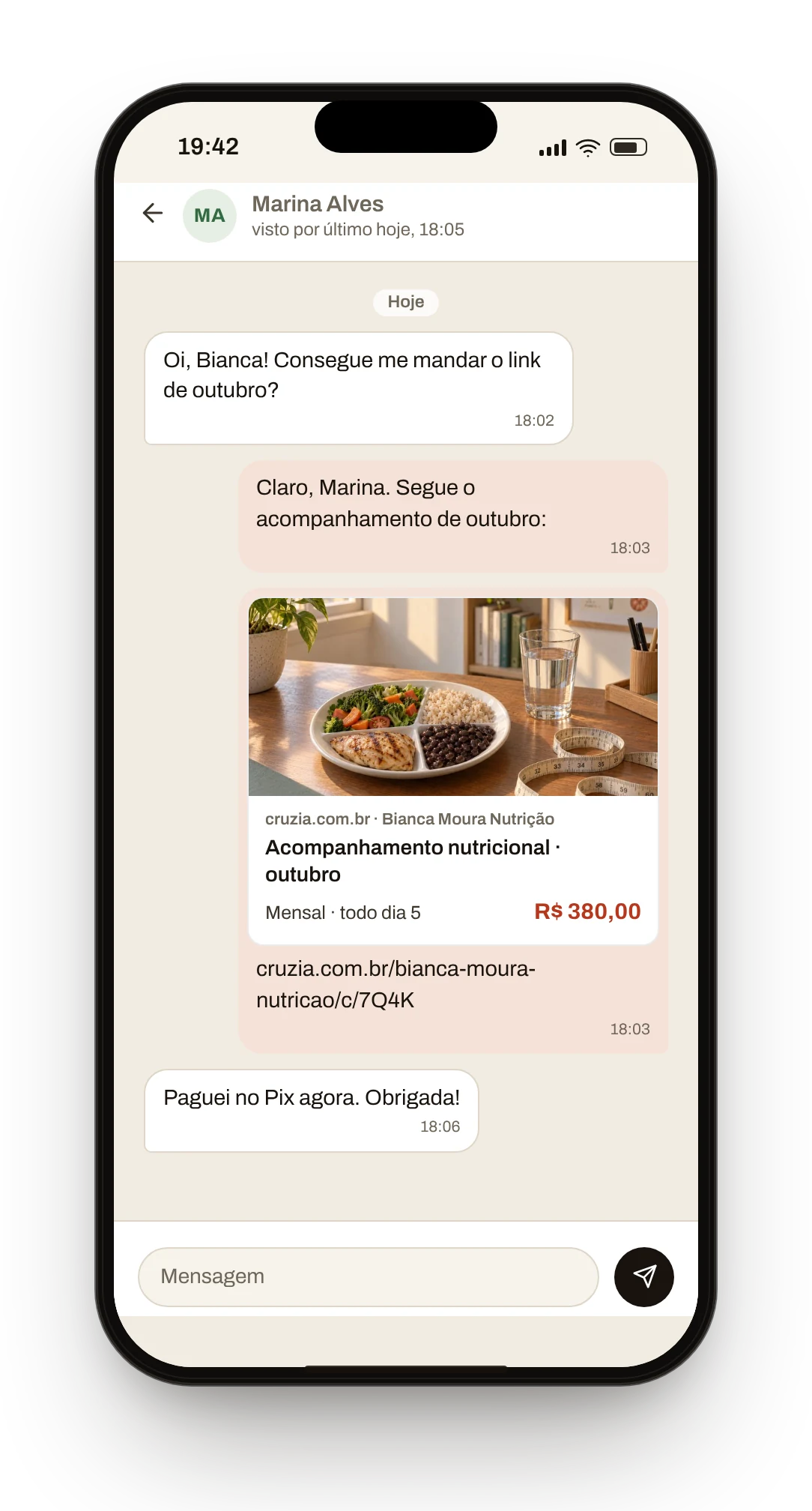 3
3Whoever opens, pays.
The dashboard shows it.
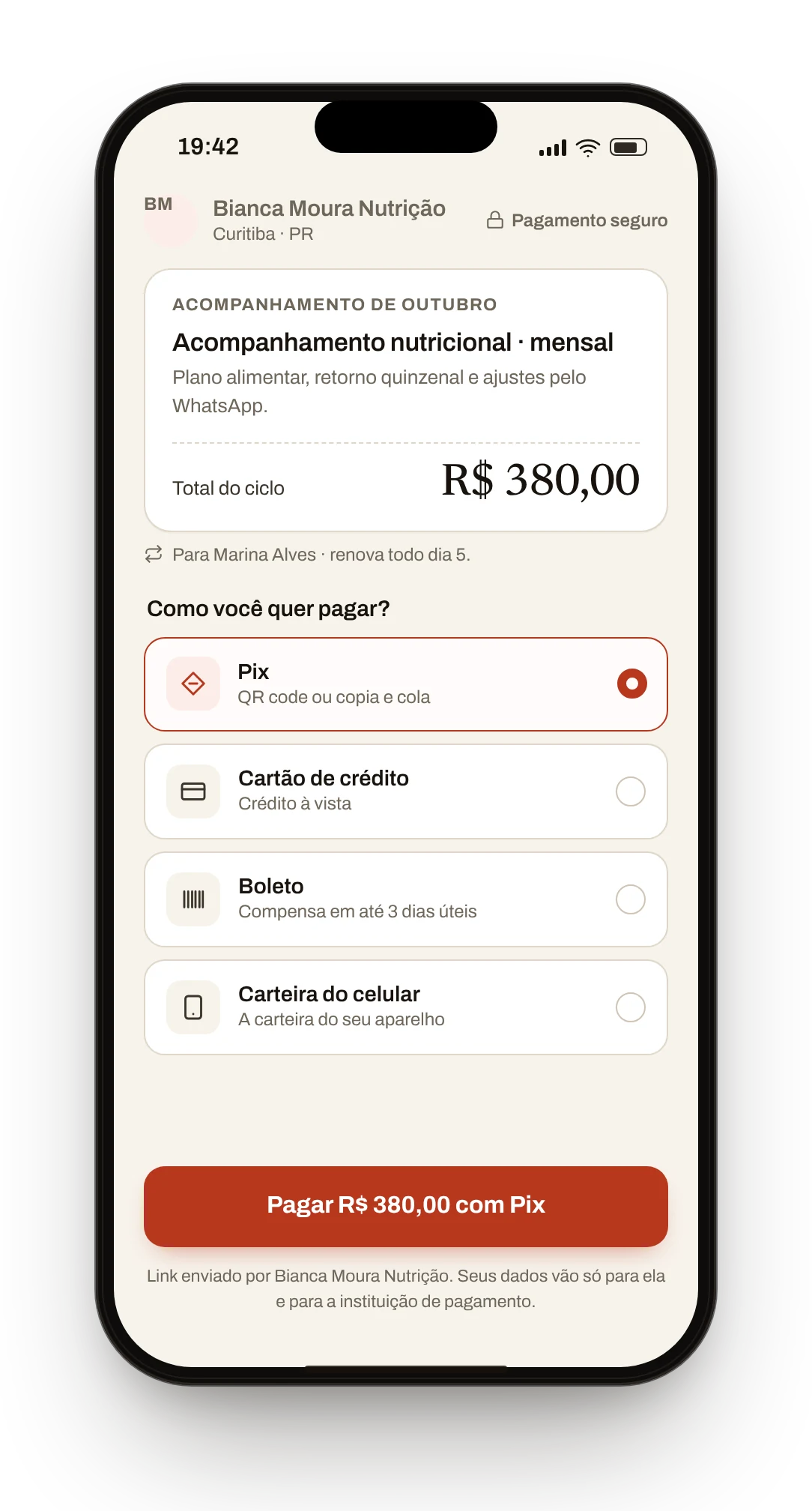
The link opens the offer's checkout, already with the recipient's name.
- 1
The offer's checkout
The cycle summary, with the amount that was in the link.
- 2
The button repeats the amount
“Pay R$ 380.00 with Pix” — the same number as the catalogue.
- 3
The status in Recent links
Paid or Open, link by link, no spreadsheet.

 12
12Recent links
- Marina Alves · Ongoing sessions · OctoberR$380.00Paid
- Rafael Costa · Ongoing sessions · OctoberR$380.00Unpaid
- Juliana Prado · First consultationR$290.00Paid
One link per cycle.
Each subscription gets its own address.
The amount comes from the catalogue.
The link's number matches the offer's.
Whoever pays picks the method.
Pix, card, boleto or wallet, at the offer's checkout.
Paymentstill happens at the checkout.
Whoever opens the link picks the method at the checkout — and what they pay reaches you in full.
See the checkout